
Creating a CV through the Europass platform is an essential and important step for anyone planning to travel to Germany, as it is considered one of the most important documents at various stages, whether before travel or after arriving in Germany. There are many platforms through which a CV can be created, but in this article, we will discuss the Europass website, as it is considered one of the most famous websites for creating a CV and one of the simplest and most flexible.
In this article, we will explain the various steps of creating a resume through the Europass website with illustrative images, in addition to providing several tips that enhance the applicant's chances when submitting the resume in the job search.
It is important to note that this article will have an attached video in which I explain the various details related to creating a resume on the Europass website.
What is the Europass website and what are its key features?
Site Europass It is an official European platform affiliated with the European Union aimed at helping users create a professional resume in an easy, organized, and recognized manner across various European countries. The website allows users to input their personal data, professional experience, language skills, and educational qualifications in a formatted way, and then generate a resume in PDF format ready for job applications, study, or work opportunities. Among the most notable advantages of the Europass website is that it provides a standardized and recognized template in Europe, supports multiple languages, makes it easy to edit and update the resume at any time, in addition to the ability to save and share the file electronically with ease.
Why is the resume important?
The resume is important for travelers to Germany because it is one of the essential documents required in several stages of official procedures. It is used when corresponding with the certificate recognition authority to obtain the Bescheid, especially for doctors and pharmacists, and it has been published in several articles how to obtain the Bescheid from several German states such as North Rhine State وState of Bavaria. It is also required as part of the application file for the German embassy interview to obtain an entry visa to Germany. The importance of the CV also stands out after arriving in Germany, specifically during the job search phase, as creating a professional CV detailing the applicant's experience and skills significantly enhances their chances of being accepted for the job they are applying for.
Practical steps to create a CV on the Europass website
Create an account on the Europass website
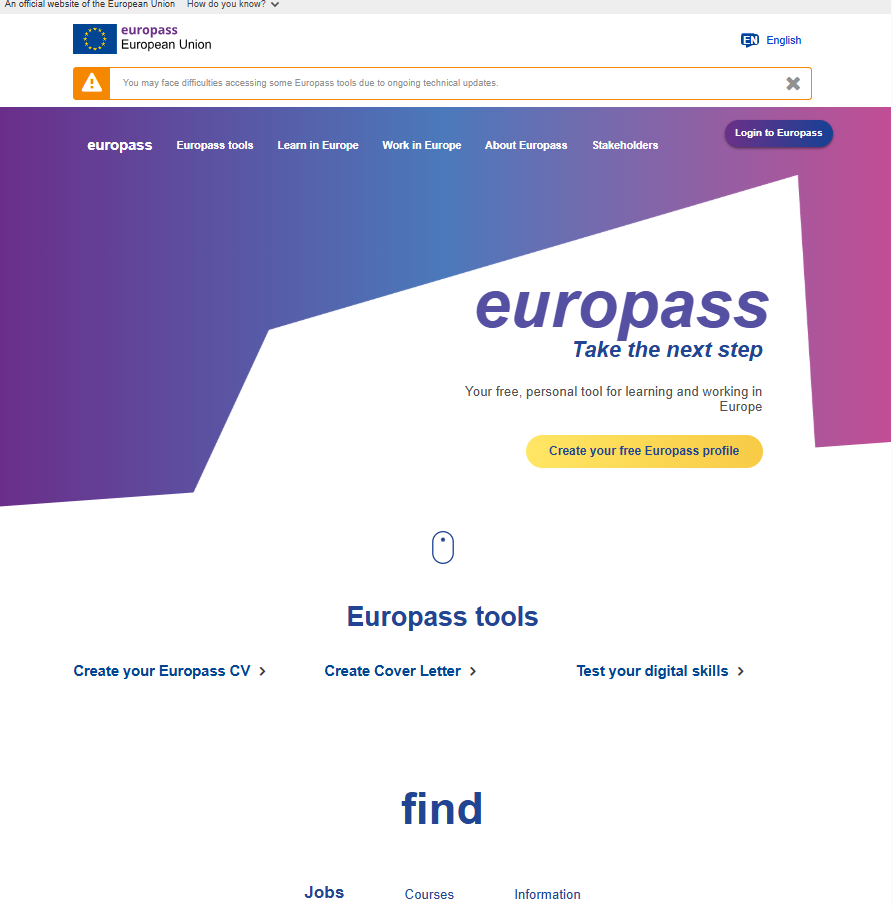
First, we log in to Europass website, so the main interface of the website appears like this. We click on Login to Europass at the top right of the screen. It is preferable, before starting the practical steps, for a person to open the website using a computer.
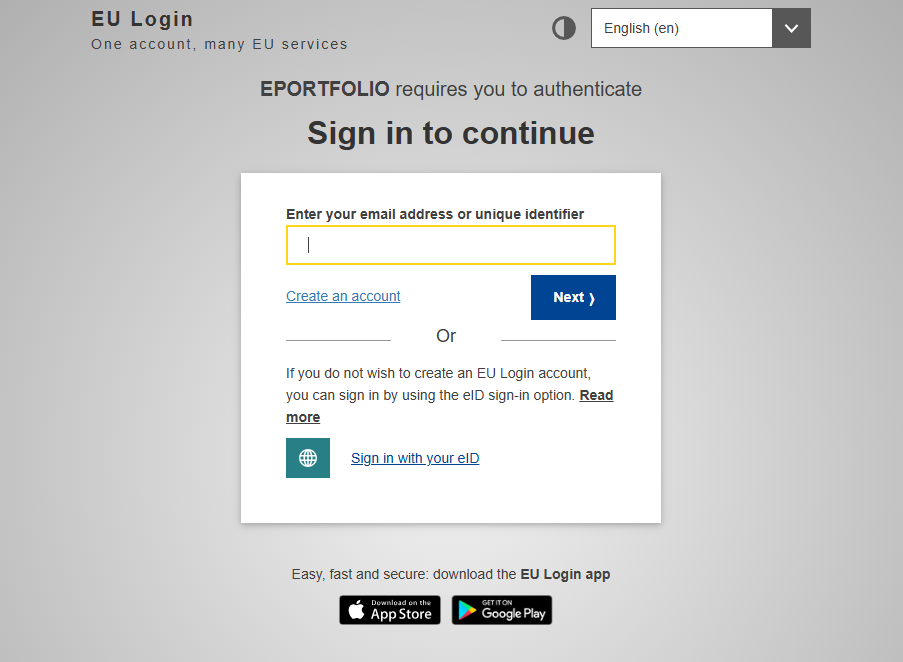
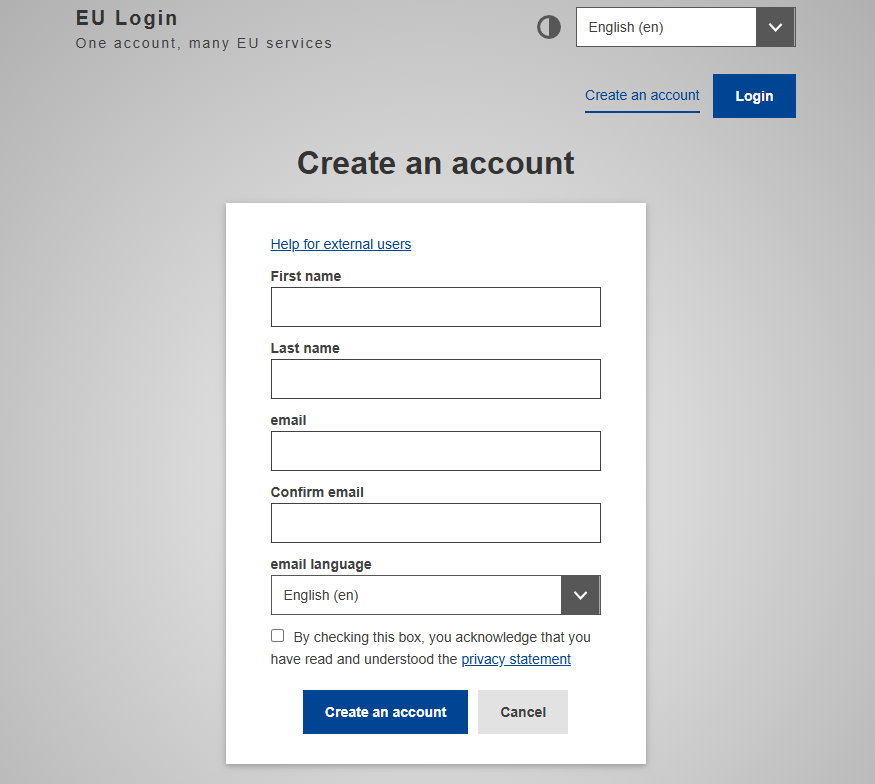
We then select Create an account to start creating our own account on the Europass website.
We enter the required data to create a Europass account, as shown in the image: first name, last name, email address, and its confirmation. We check the box next to the final sentence indicating your agreement to the terms and conditions.
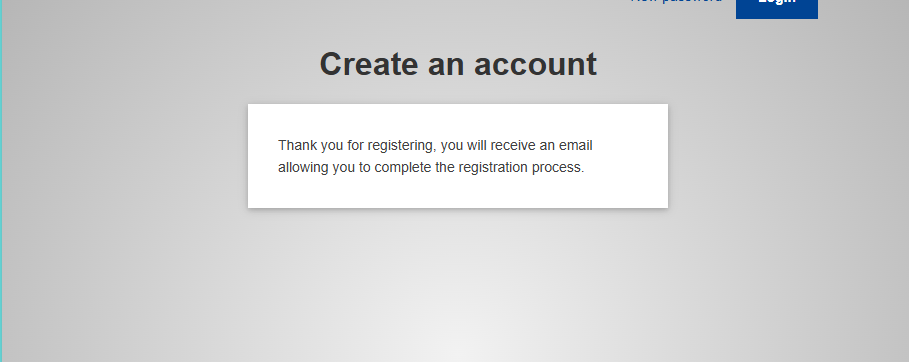
Then this interface appears, indicating that the Europass website has sent an email to our email address in order to set the password.
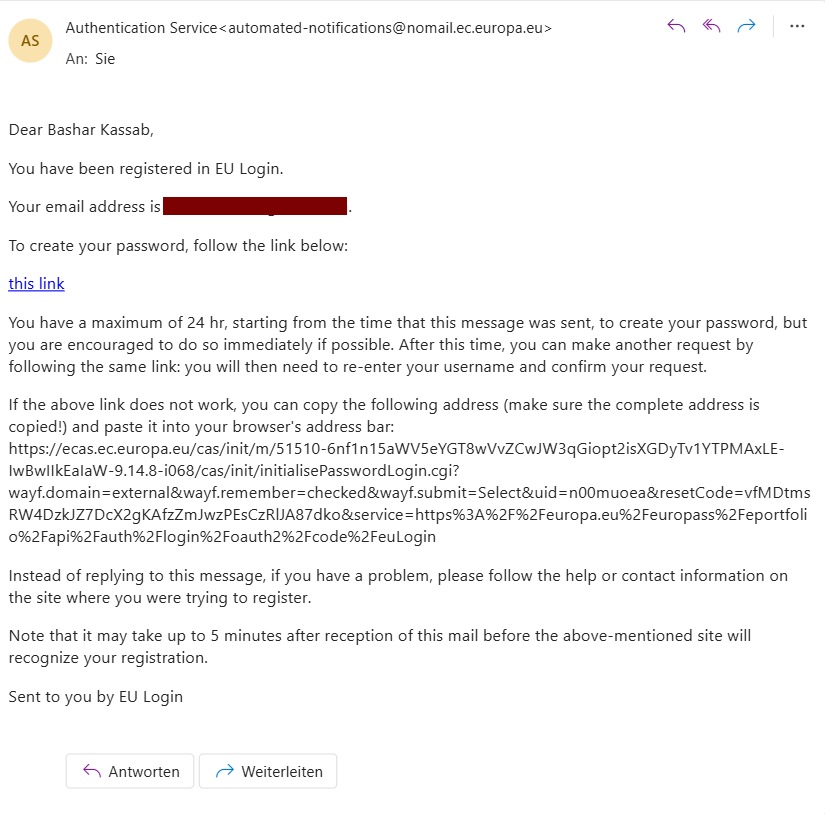
After opening the email sent to us by the Europass website, we access the link in the message. In case we encounter a problem with the link, the link at the bottom can be copied. The link must be accessed within 5 minutes of receiving the email.
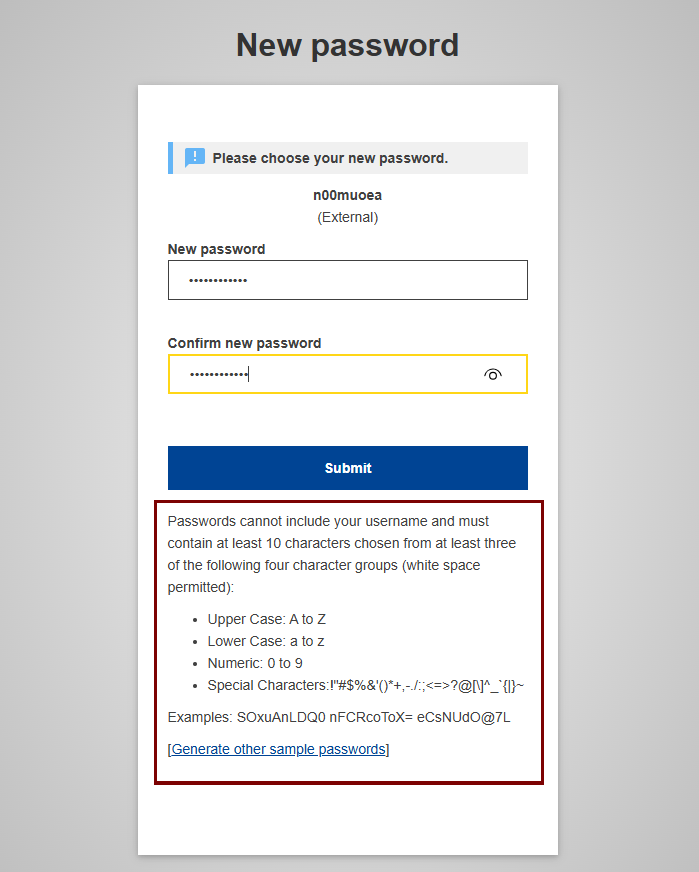
We are setting the password for our Europass account. Attention must be paid to the instructions indicated below:
- The password cannot contain the username.
- The password must consist of 10 characters.
- The password must contain at least one uppercase letter and one lowercase letter in English.
- The password must include numbers.
- A person must choose a special symbol from the special symbols below.
After choosing the appropriate password, we click Submit at the bottom.
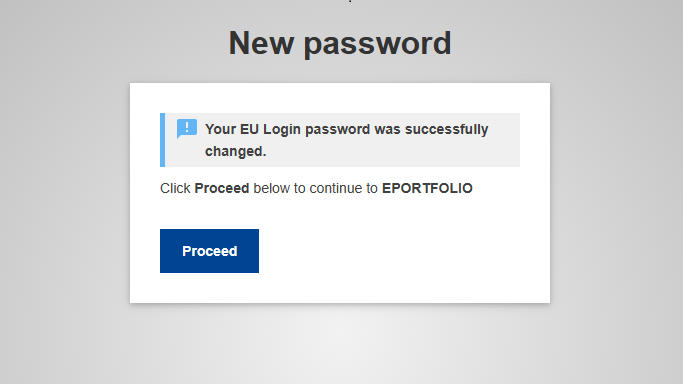
After that, the following notification appears indicating that the creation of the Europass account password has been successful. We click on Proceed to continue the steps.
Add CV information to the Europass website
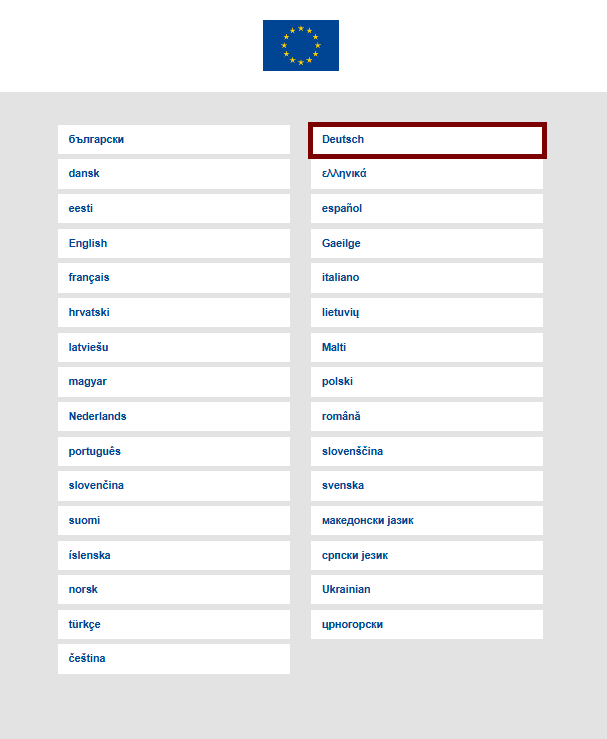
We select the language for the Europass account. It is preferable to choose German, as we will write all details and information in German.
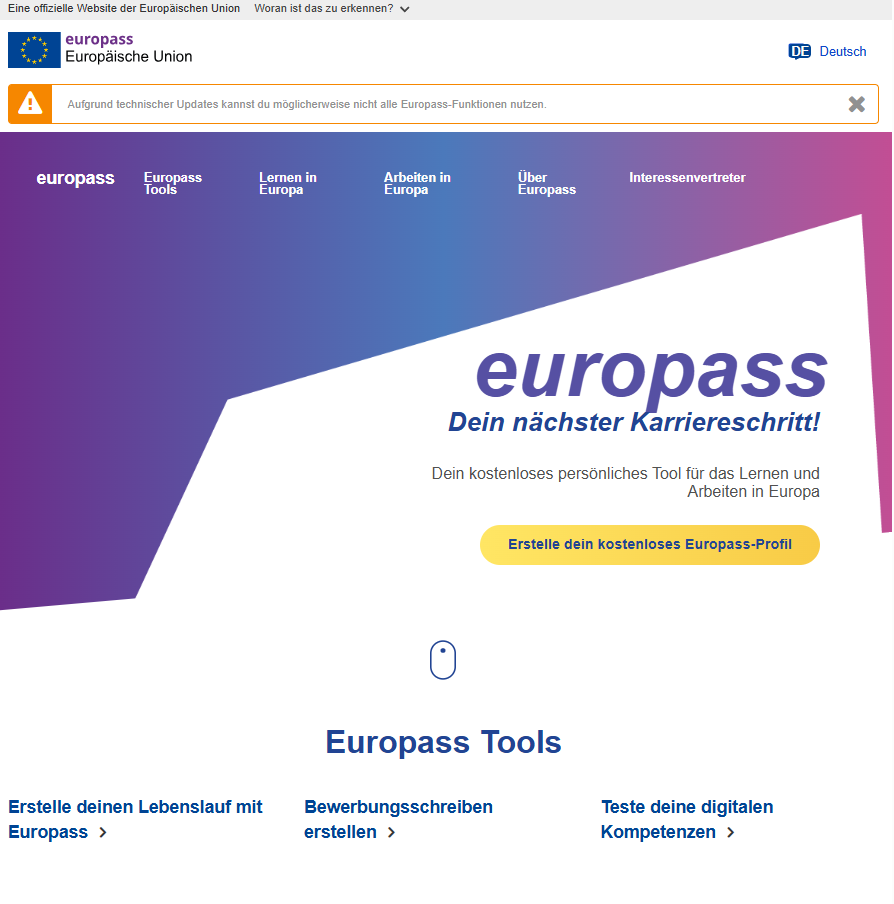
Next, the main interface of the Europass website appears. We select the option Erstelle deinen Lebenslauf mit
Europass to start creating our CV.
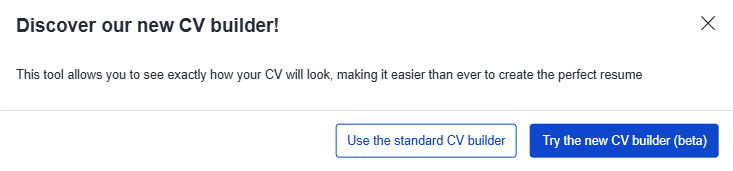
The site then asks us whether we want to create the resume using the standard tool or the new tool, so we choose the standard tool, Standard.
The following interface then appears for us. We select Start from your profile.
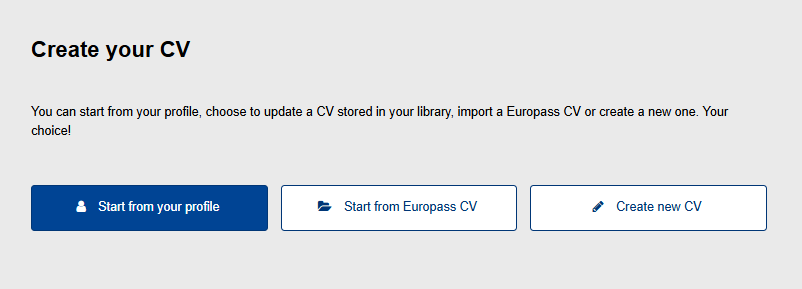
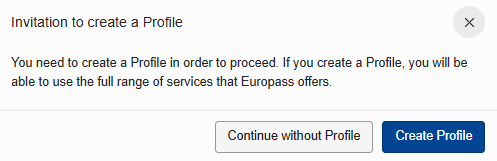
Since we do not have a profile on our account yet, we are creating one now by clicking the Create Profile option.
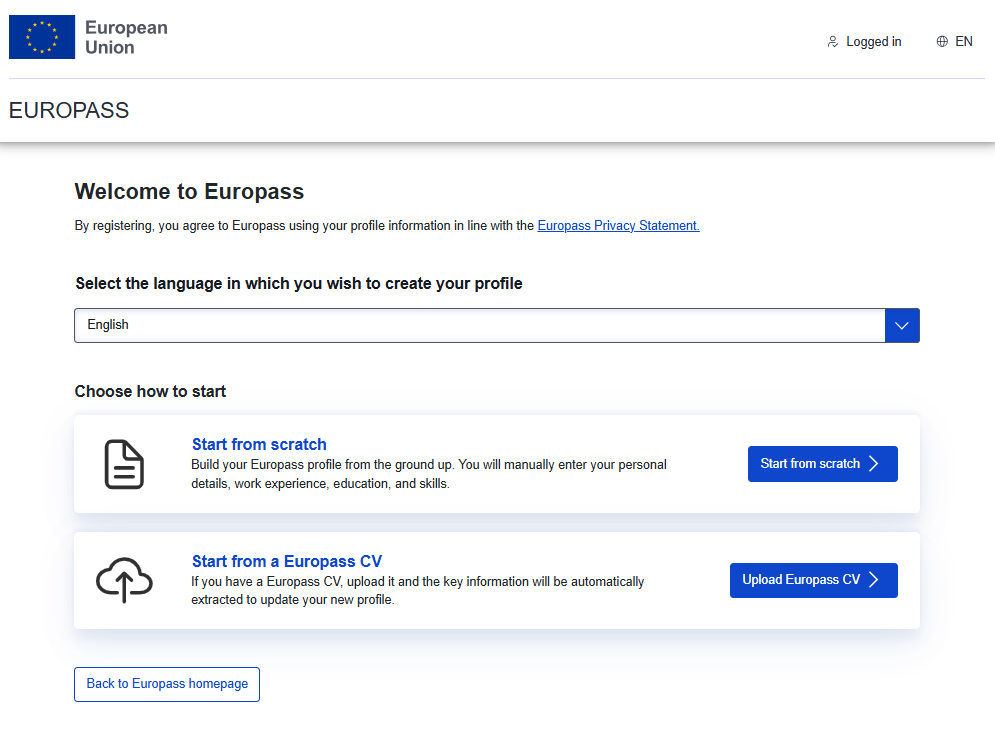
First, we select the German language. After that, we choose the "Start from scratch" option.
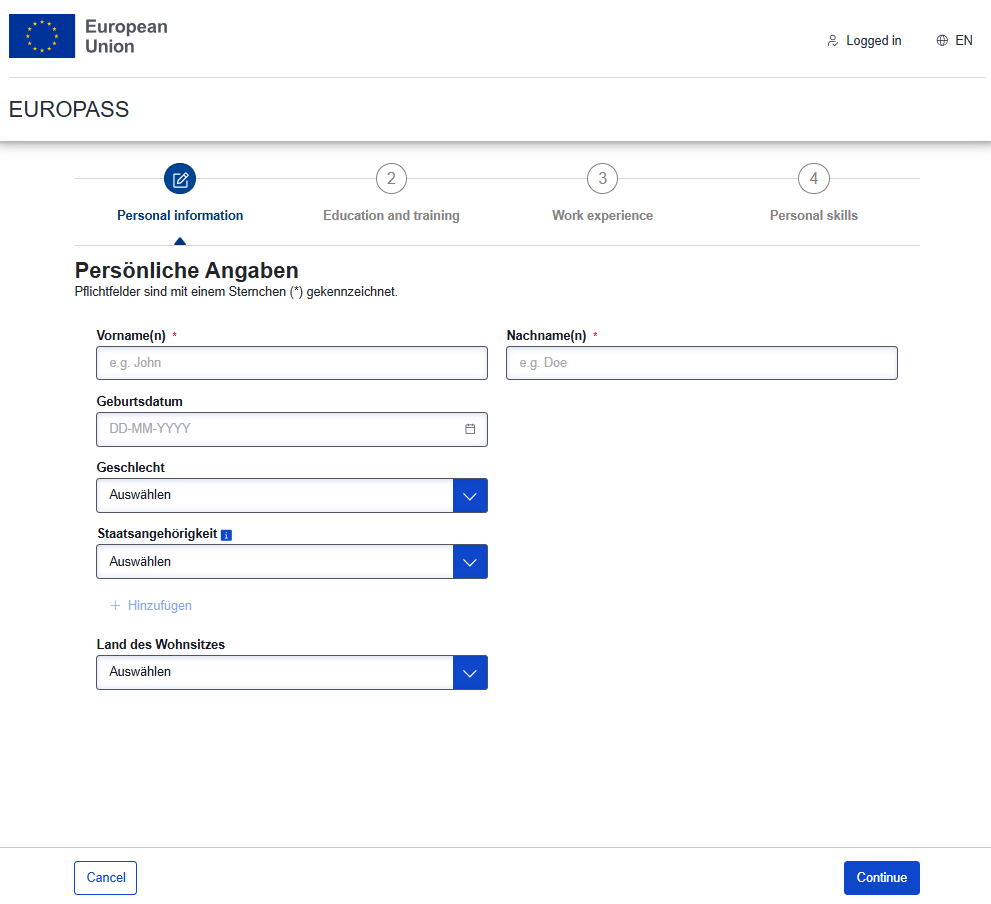
Add personal data
We enter the personal data: first name, last name, date of birth, gender, nationality, and current country of residence. After finishing, we click Continue.
Add the learning path
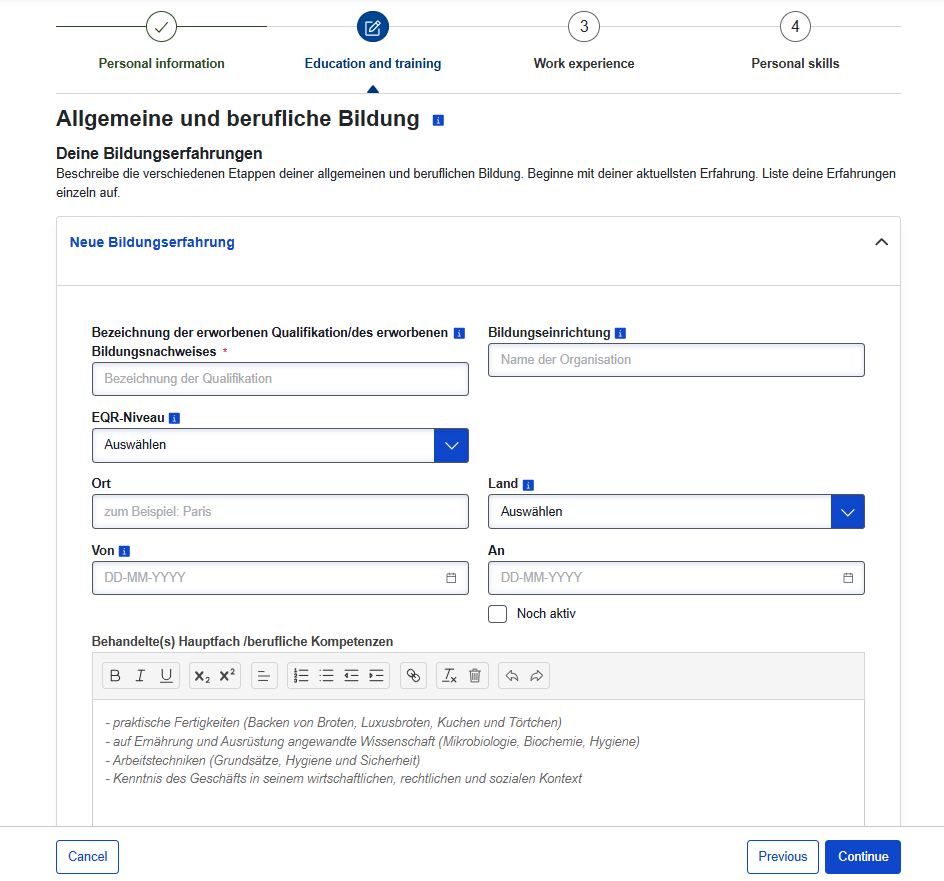
Next, we add the education or training path Allgemeine und berufliche Bildung. We enter the title of the educational or training qualification in the field Bezeichnung der erworbenen Qualifikation/des erworbenen Bildungsnachweises. After that, we enter the name of the school or institute in the field Bildungseinrichtung.
For someone with a high school diploma – scientific branch, they can write "Abitur des wissenschaftlichen Zweiges" in the first field and the name of the high school in the second field. As for me, I wrote the name of my high school, which is Abd Al-Hameed Al-Zahrawi Gymnasium.
As for the remaining information, it is simple: we put the name of the city and the country. As for the start date of study, what concerns us here is the high school stage; we enter the start date of the semester by day and month, and the end date of high school education also by day and month, for example: 15/09/2013 – 02/07/2016.
Finally, there is the Behandelte(s) Hauptfach /berufliche Kompetenzen field. Here, we enter the GPA or the percentage total we achieved, for example writing Abschlussnote: 97.41%.
After that, we select Add a new educational path (Neue Bildungserfahrung) in order to add the next educational or training stage: university studies or vocational training.
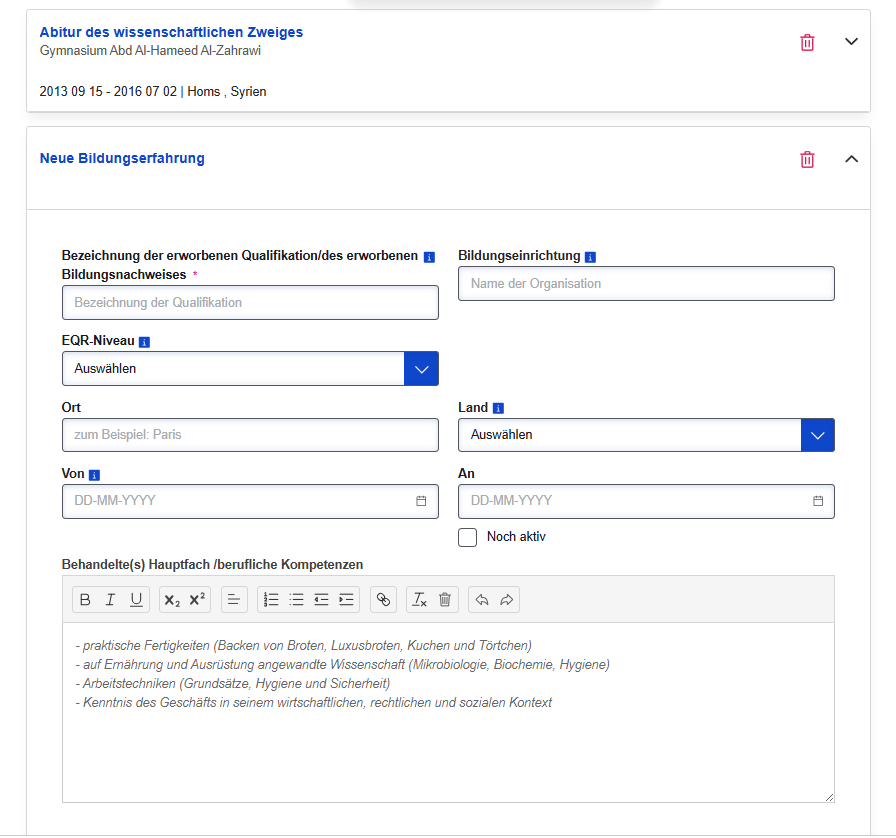
As we can see, the first learning path appears neatly at the top. We will add the second learning path.
For the holder of a Bachelor's degree in Human Medicine (Bachelor in Humanmedizin), and in the second field their private university name, for example, Universität Homs, the university name is written in this way in German.
Next, we enter the city name and country. We also enter the start date of the study or training and the graduation date written on the graduation certificate.
For the last field, we put the cumulative GPA and the graduation project; for example, we write the following:
- Final Grade: 84.35%
- Thesis: Vaccination and Vaccinations
If we encounter difficulty in translating some details, it is helpful to review them in the papers we had translated by the sworn translator in order to write the accurate translation.
Add professional experience
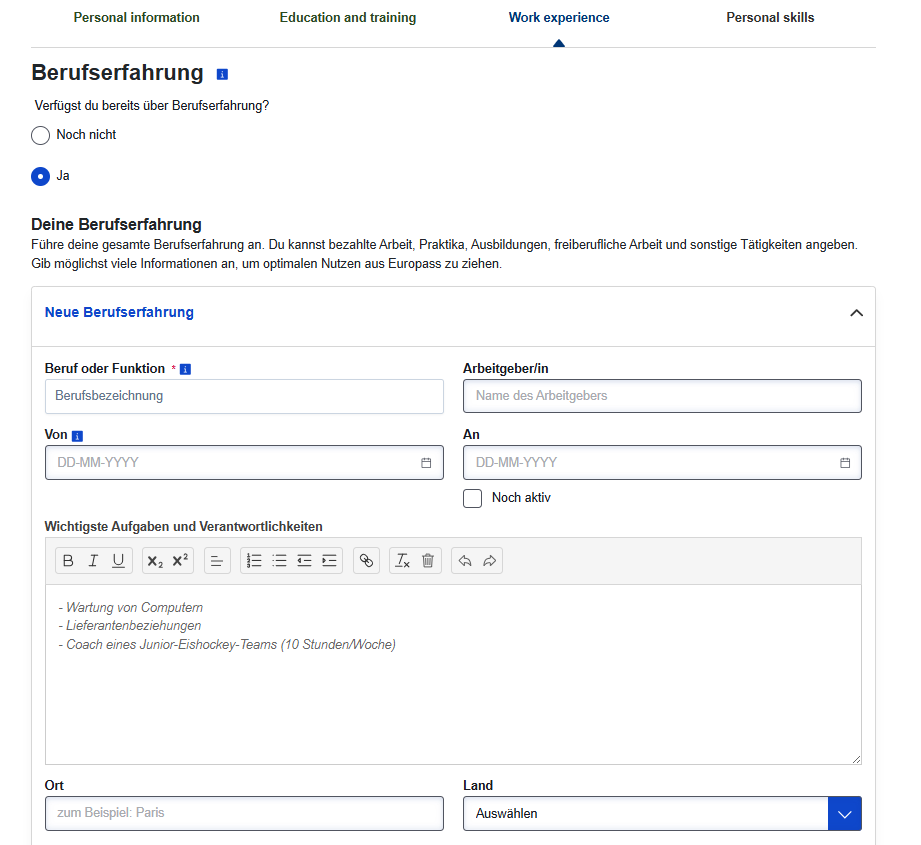
Now we add the professional experience Berufserfahrung to the resume. In case a person does not have professional experience yet, they can choose “No” in the previous question.
First, we write the job title in the Beruf oder Funktion field. Doctors can use this formula, changing the specialty according to their own:
Resident in Internal Medicine. Following this, the name of the institution where the person worked is mentioned. For doctors, the hospital is mentioned; taking Homs University Hospital (Universität Homs Krankenhaus) as an example.
After that, we enter the job details such as the city name, country, and the start and end dates of the work.
It is useful to mention the practical experience gained during the job. Mentioning these details will be helpful when applying for a job in Germany. Naturally, this is not important for the German embassy interview or when corresponding with the certificate recognition authority. There are no fixed sentences for every specialty; it always depends on the period during which the person practiced the specialty and on the hospital itself.
Add soft skills
We then move on to the personal experience section. In this section, we mention the skills we possess; here we can mention Microsoft Office skills and other technical expertise. This section is also about the person themselves and the skills they excel at outside of their specialized professional field.
Not mentioning any skills is not an issue for the resume we will submit to the German Embassy or the credential evaluation agency. Later on, when looking for a job, it might be useful to mention some skills in this section.
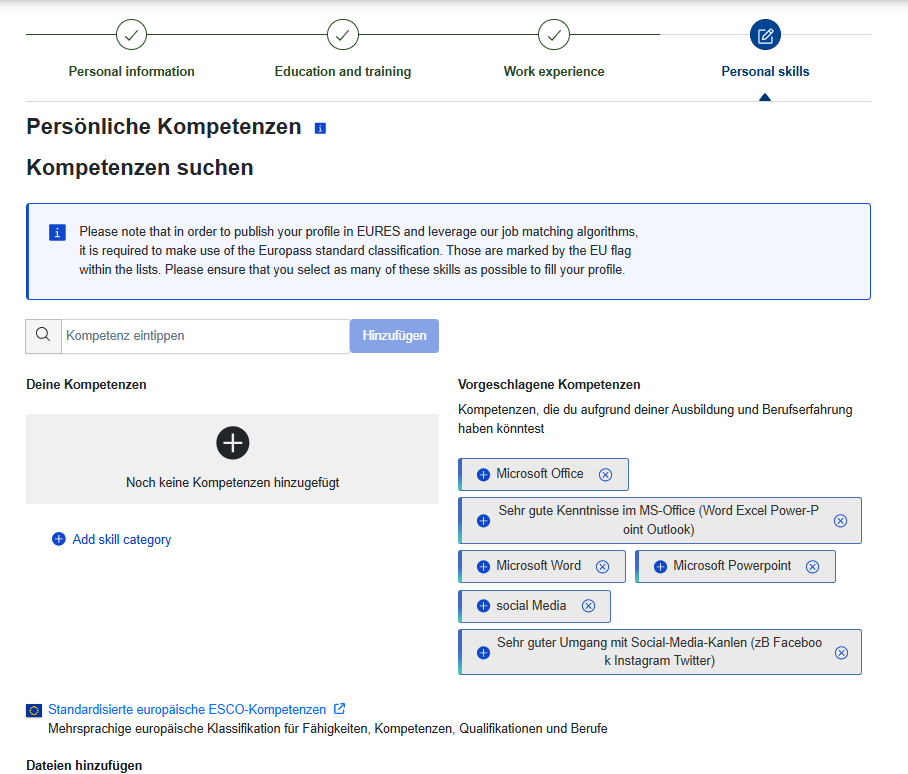
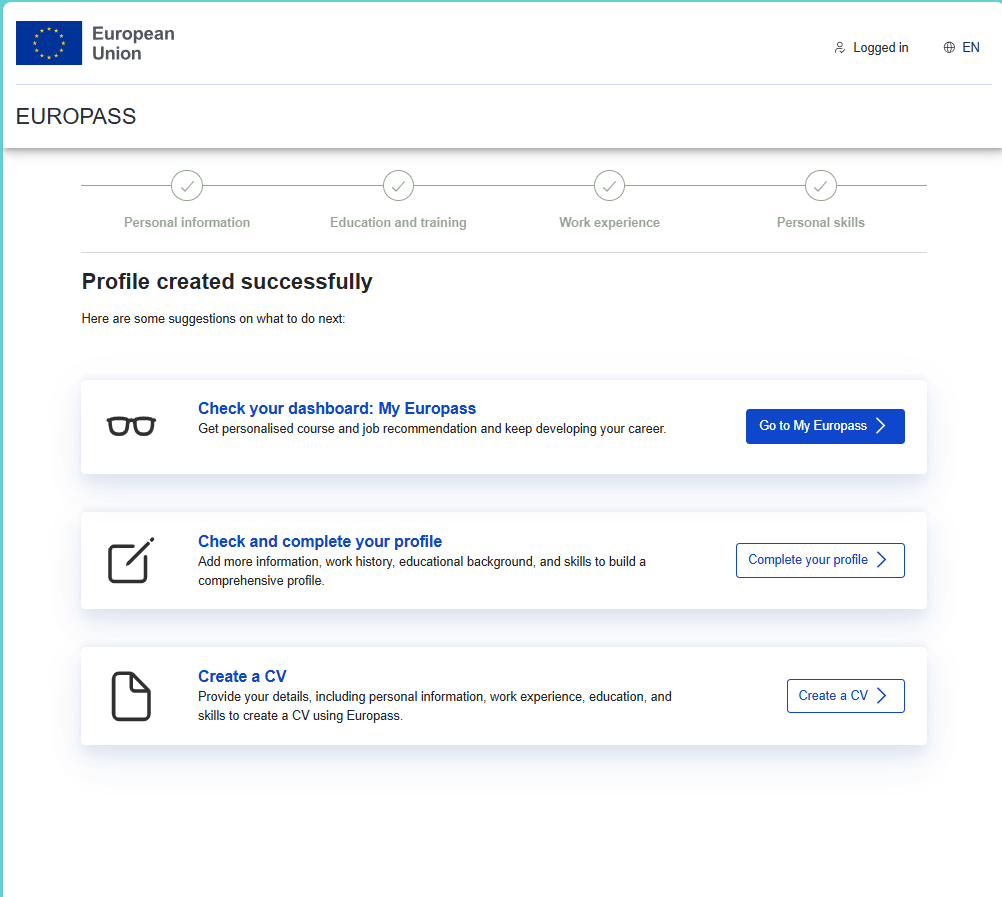
Upon completion, the following interface appears. We click on Go to My Europass.
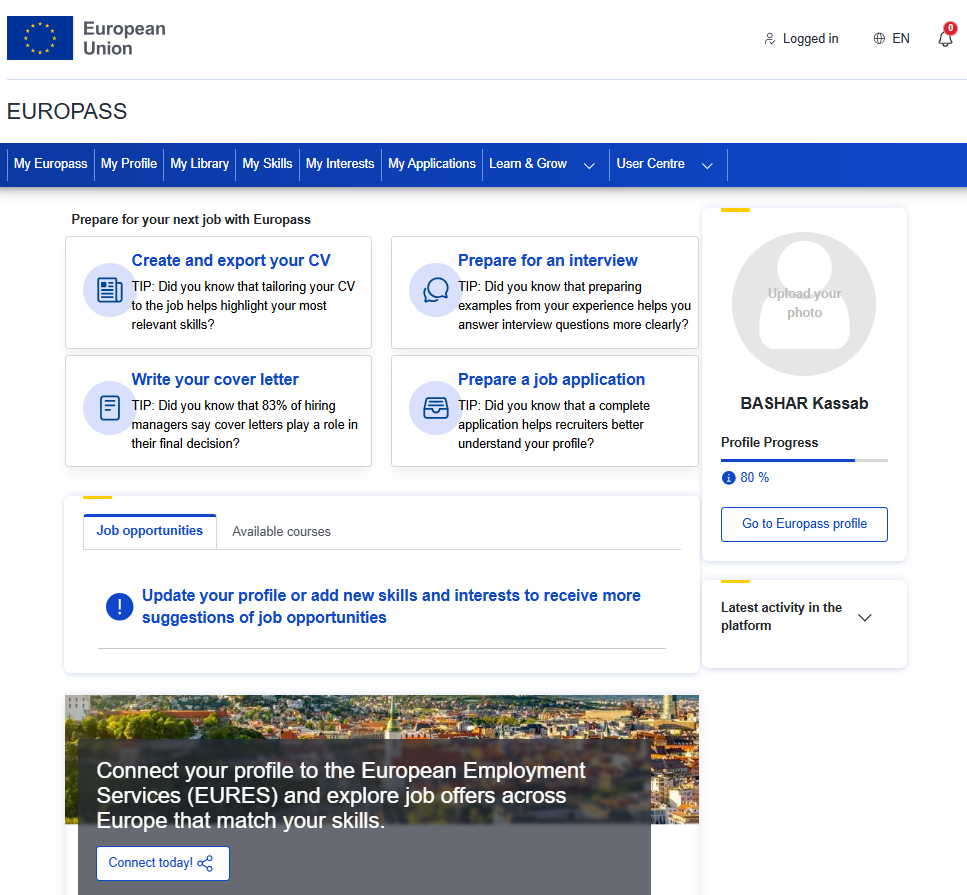
Choosing the profile picture for a Europass CV
Now the following interface appears to us, so we click on the profile picture to choose the appropriate picture for the CV. It is preferable that it be an official photo with a white background and that it be as recent as possible.
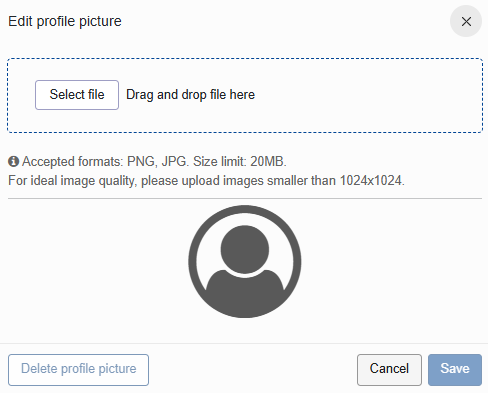
We select the profile picture from its saved location on the device.
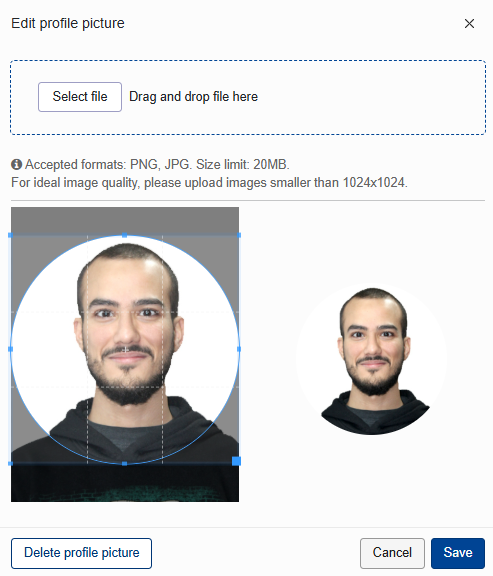
We adjust the CV profile picture so that the facial features are completely within the frame. After that, we select the Save option at the bottom.
Editing the CV after creating a profile on the Europass website
After finishing uploading the profile picture, we go to the profile to add some important fields. We click on Go to Europass Profile.
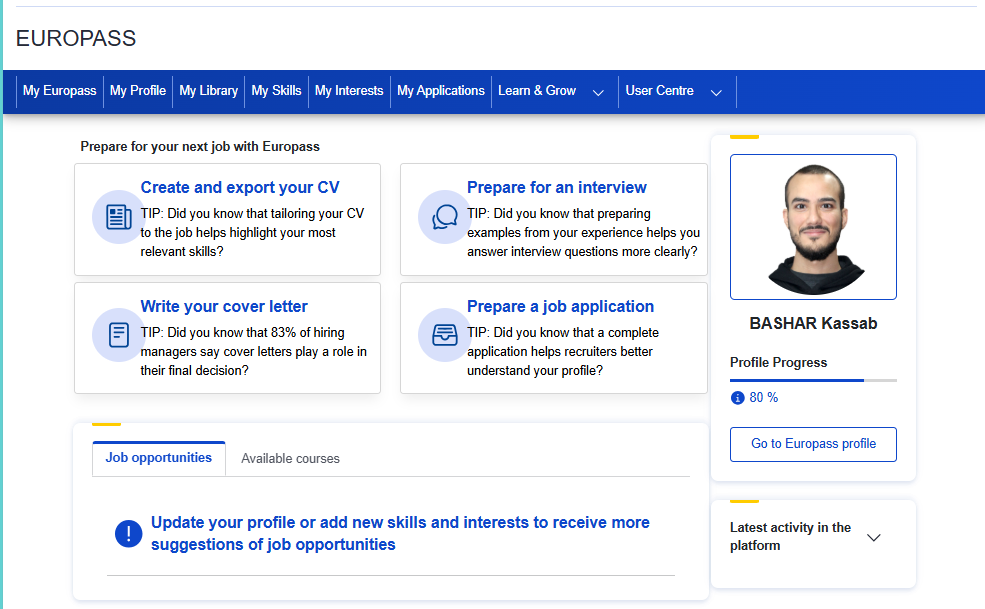
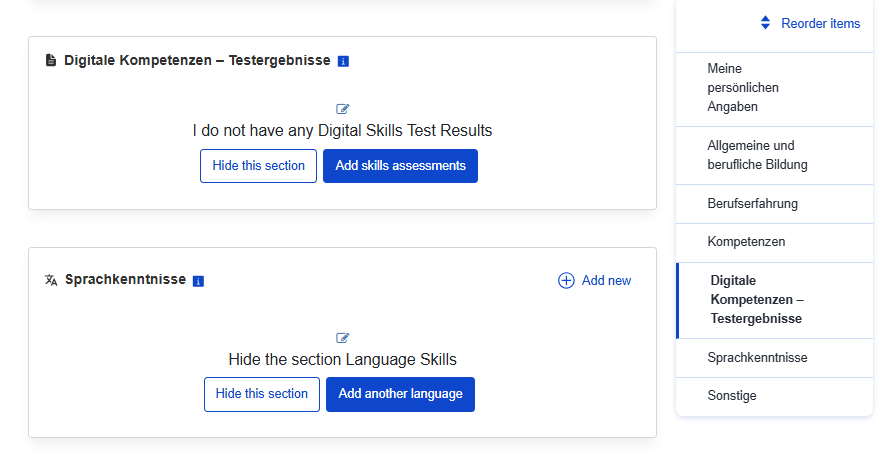
Entering languages is important. We click on Add Another Language in the Sprachkenntnisse section. We add the native language and German at at least a B1 level. As for other languages, especially English, they are important when job hunting. As for corresponding with the qualification recognition authority and the German embassy, they are not that important.
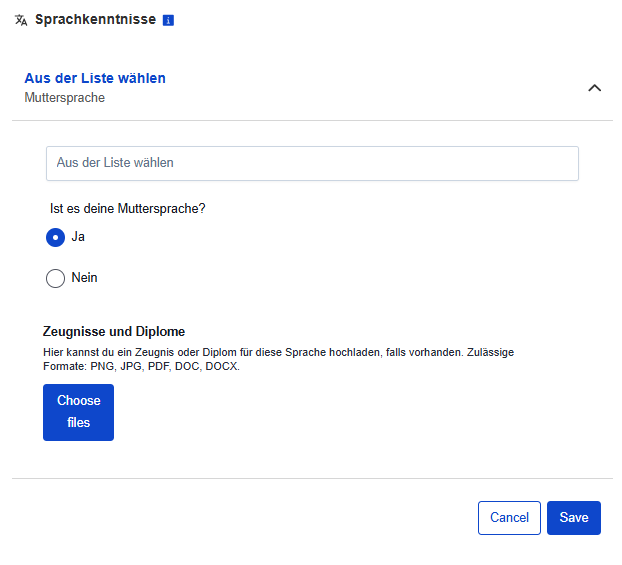
We add the native language at the beginning.
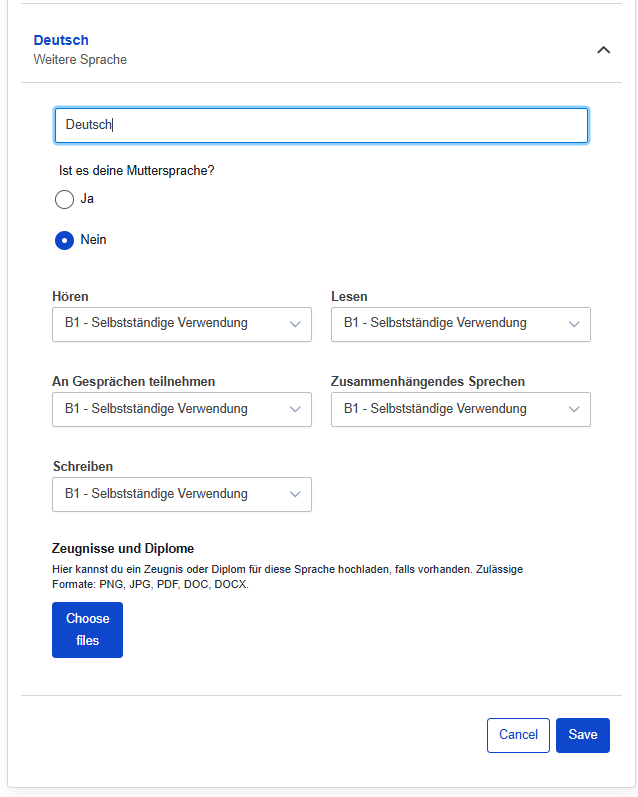
Next, we add the German language by selecting the option that it is not our native language, and then the language proficiency levels appear, so we choose the B1 level.
Filling employment gaps in the resume
Filling time gaps is one of the most important things that must be paid attention to. The importance of this matter is not limited to looking for a job in Germany later, but also for the resume that we will submit to the degree recognition authority as well as to the German embassy. It is important for the person reviewing the resume not to find time gaps of more than a month during which we did not engage in any activity.
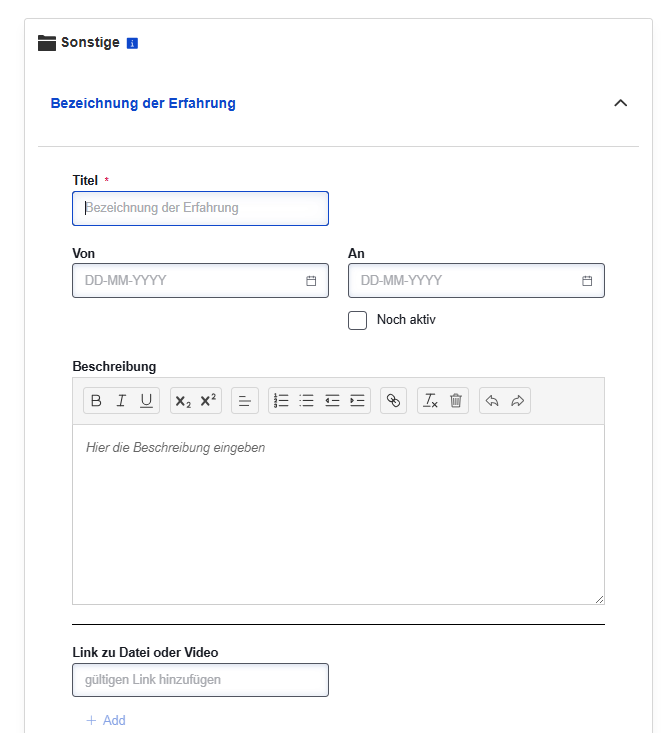
We can fill the time gaps by studying German, either through courses or self-study. We add a new item from the bottom, "Weitere Erfahrungen hinzufügen", and select "Sonstiges".
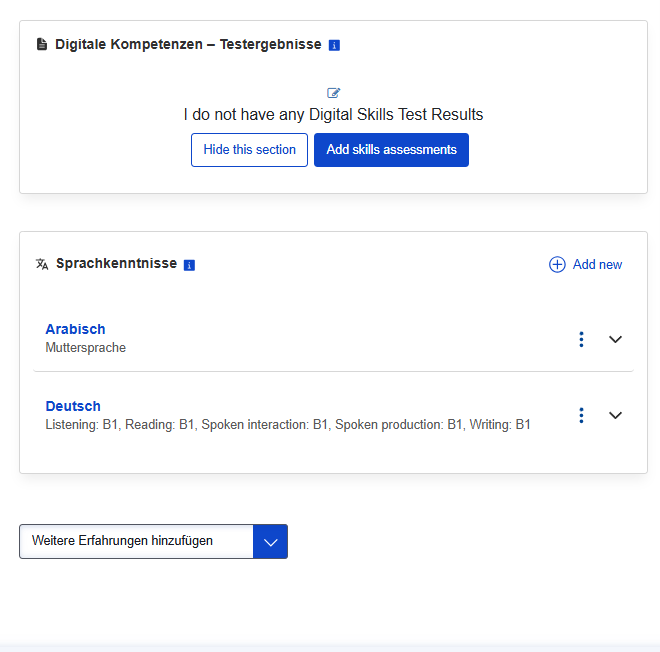
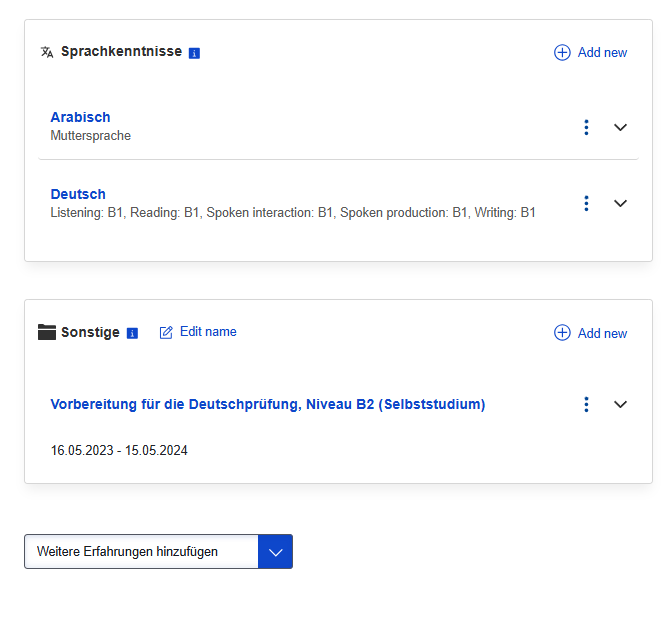
Here we write German language learning, and it is important that these employment gaps in the resume are covered, if any. We can, for example, write Vorbereitung für die Deutschprüfung, Niveau B2 (Selbststudium) in the period between 16.05.2023 and 15.05.2024.
After that, we save the information to start creating the resume as we will explain in the following paragraph.
Create CV file
After finishing the creation of our profile, we have completed the most important and difficult stage in creating the resume. The importance of creating a profile lies in the fact that it helps us avoid creating a resume from scratch every time we need it.
After returning to the main interface, we choose the option Create and export your CV.
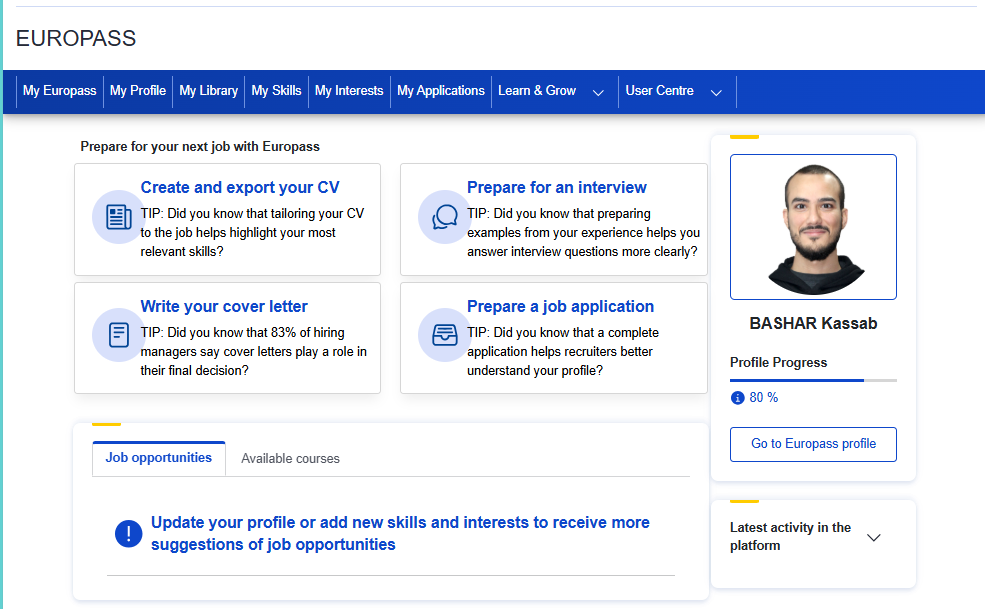
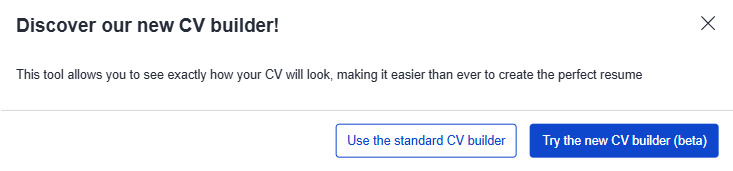
We select the Standard tool to create the resume.
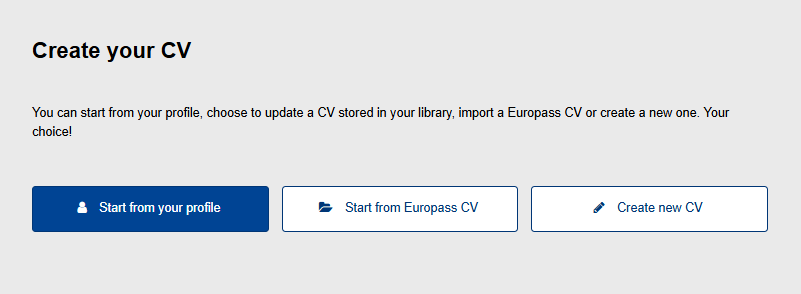
We then select Start from your Profile to create the resume based on the profile we have created.
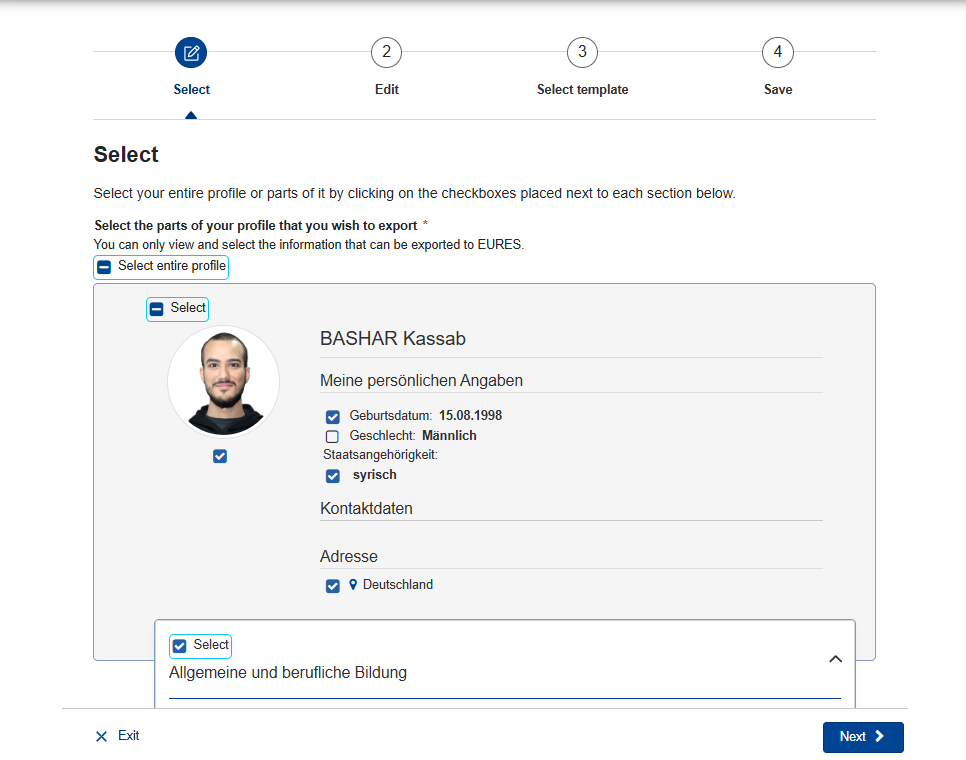
The resume appears as shown in the image. Here we can make some adjustments, as we can, for example, hide some information using the blue boxes next to it. After finishing, we click on Next at the bottom.
The following window now appears, where the site asks us if we want to edit some details in the resume.
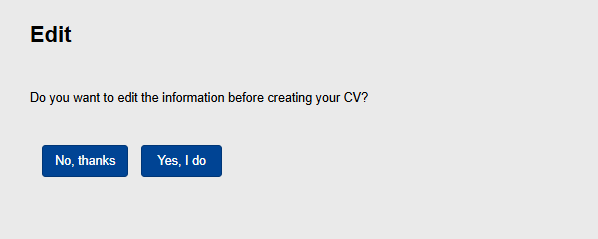
Actually, one of the useful features of Europass is that we can edit some information in the resume from here without changing anything in the profile. We can also change the order of the sections in the resume, which is extremely important when applying for a job, as the important skills related to the position should be highlighted at the beginning of the resume. I have explained the practical details in the resume video on my YouTube channel.
Choosing a CV template
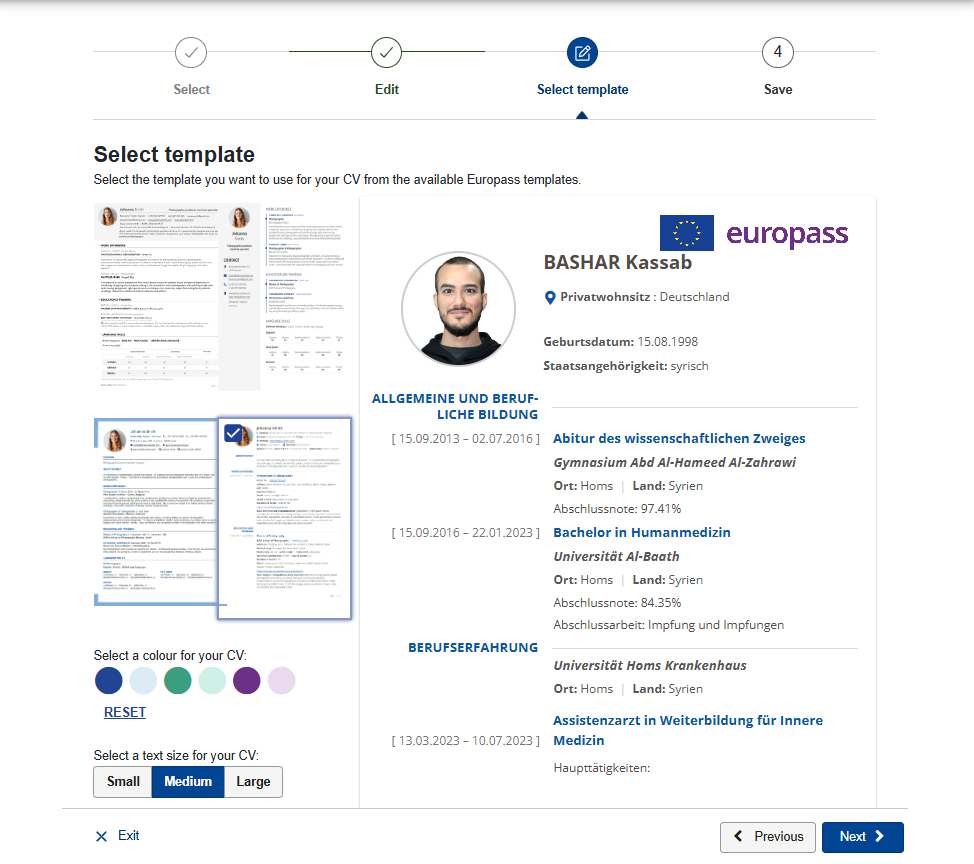
After finishing the edits on the resume, we choose its template. There are four template options. It is preferable to choose the organized template that displays the information and dates in the resume in an organized and clear manner. After finishing choosing the template, we select Next.
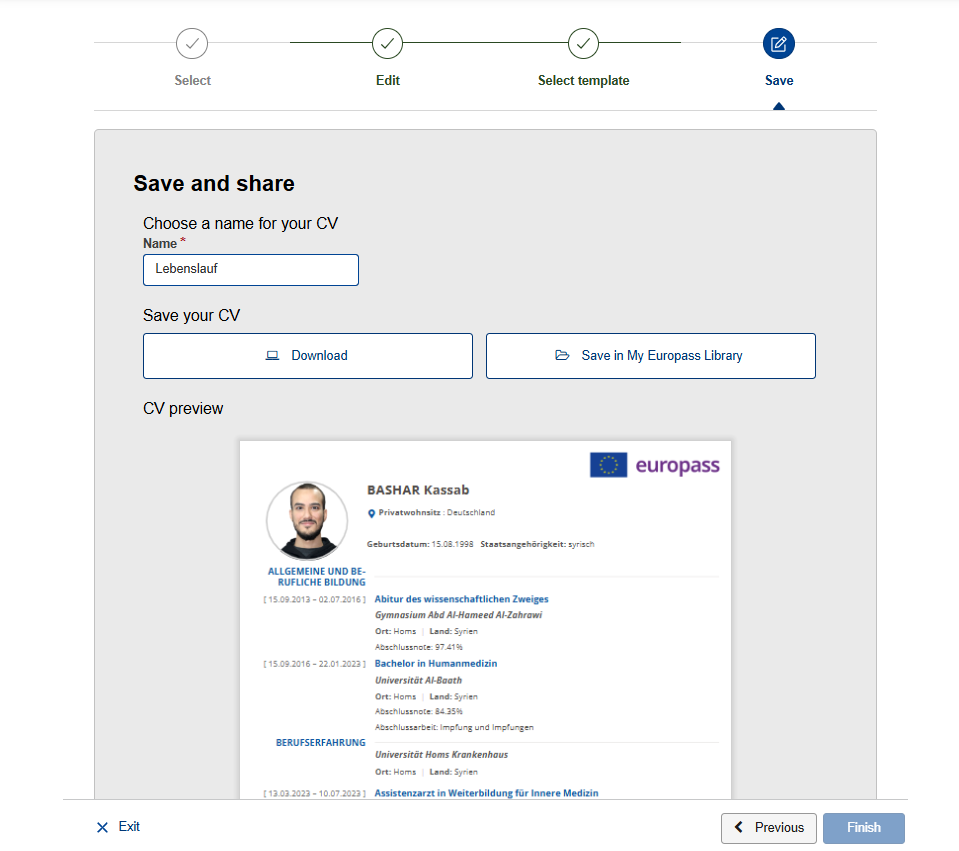
We are now naming the resume file before downloading it from the website, and then we select Download.
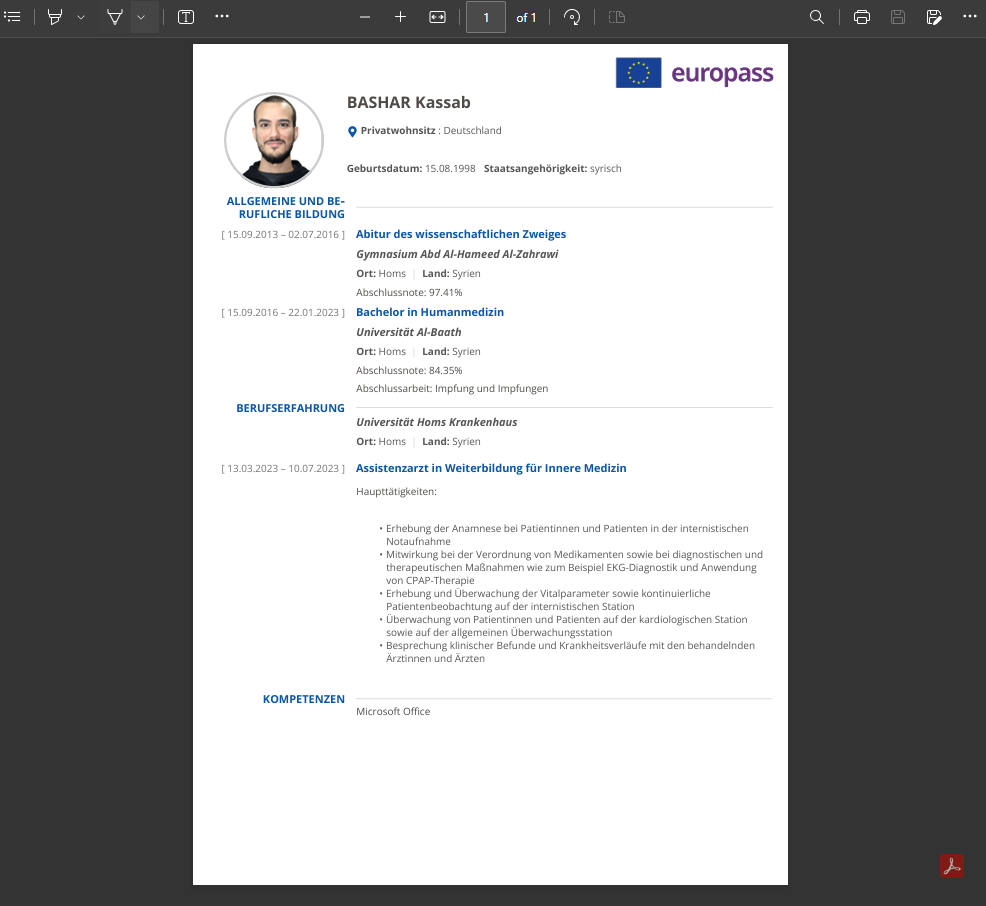
Next, we review the resume file as a PDF, print it out, and sign it, mentioning the place and date.
Conclusion
The CV is an essential step for anyone wishing to apply for job or study opportunities in Germany, as it provides a clear and organized presentation of the qualifications and experiences possessed by the applicant. Furthermore, preparing a professional CV using platforms such as Europass helps to present information in a structured manner, which increases the chances of acceptance when applying for a job. It is continuously recommended to pay attention to updating the CV and adding new experiences and skills to it before sending it to any official entity, and this is one of the most important features offered by the Europass website easily and flexibly.